Games Overview
Understand the Game hierarchy in PlayableLabs and how Games, Versions, and Variants work together
The Game Hierarchy
PlayableLabs organizes every playable ad project into three levels:
Game
 └── Version
└── Variant- Game — The top-level project representing a playable ad campaign
- Version — A snapshot of the game at a specific point in time
- Variant — A customized copy of a version tailored for a specific ad network or audience
This structure lets you manage multiple iterations, run A/B tests, and produce network-specific builds from a single project.
When to Use Each Level
| Level | Purpose | Example |
|---|---|---|
| Game | Group all work for one campaign | "Puzzle Quest Summer 2026" |
| Version | Track major revisions | "v1.0", "v2.0-holiday" |
| Variant | Customize for a network or test | "Meta - English", "Google - Japanese" |
Games
Create a new Game for each distinct playable ad campaign. Games hold all versions, assets, and settings in one place.
Versions
Create a new Version when you make significant changes to gameplay, visuals, or assets. Previous versions remain untouched, giving you a full revision history.
Variants
Create Variants from a Version to customize the ad for different ad networks, locales, or A/B testing scenarios. Each variant can override parameters (text, colors, gameplay settings, media references) without affecting the parent version.
Dashboard Overview
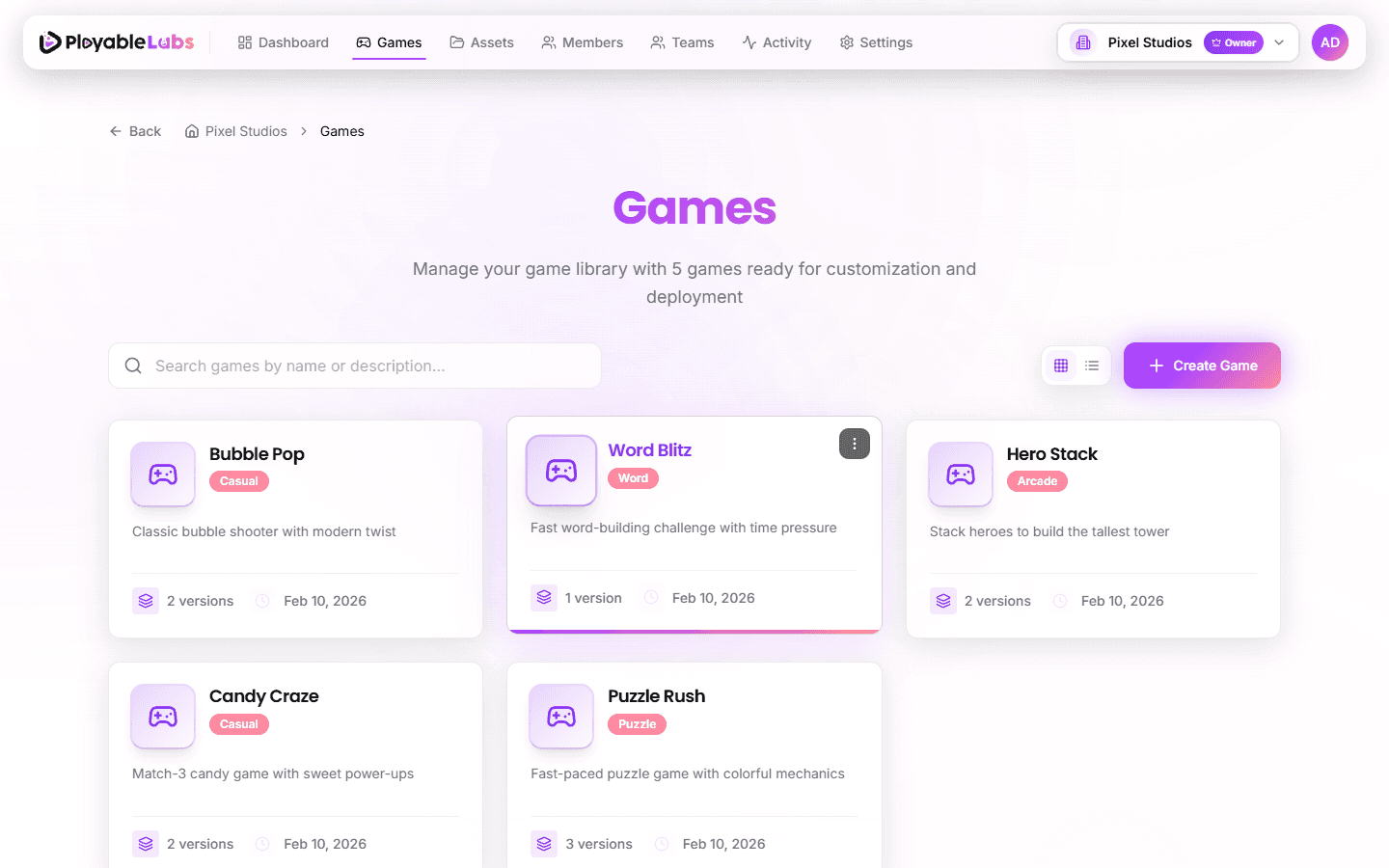
The Games page displays all games in your organization. From here you can:
- Search and filter — Find games by name or tags
- View modes — Switch between grid and list layout
- Version count — Number of versions displayed on each game card
- Category badges — Game category shown as colored badge
- Demo indicator — Demo games marked with special indicator
- Quick actions — Create, edit, or delete games from the card menu
- View details — Click a game to see its versions and variants
Tip: Use tags to organize games by client, campaign type, or purpose (e.g.,
client:acme,ua,retargeting).
Game Detail View
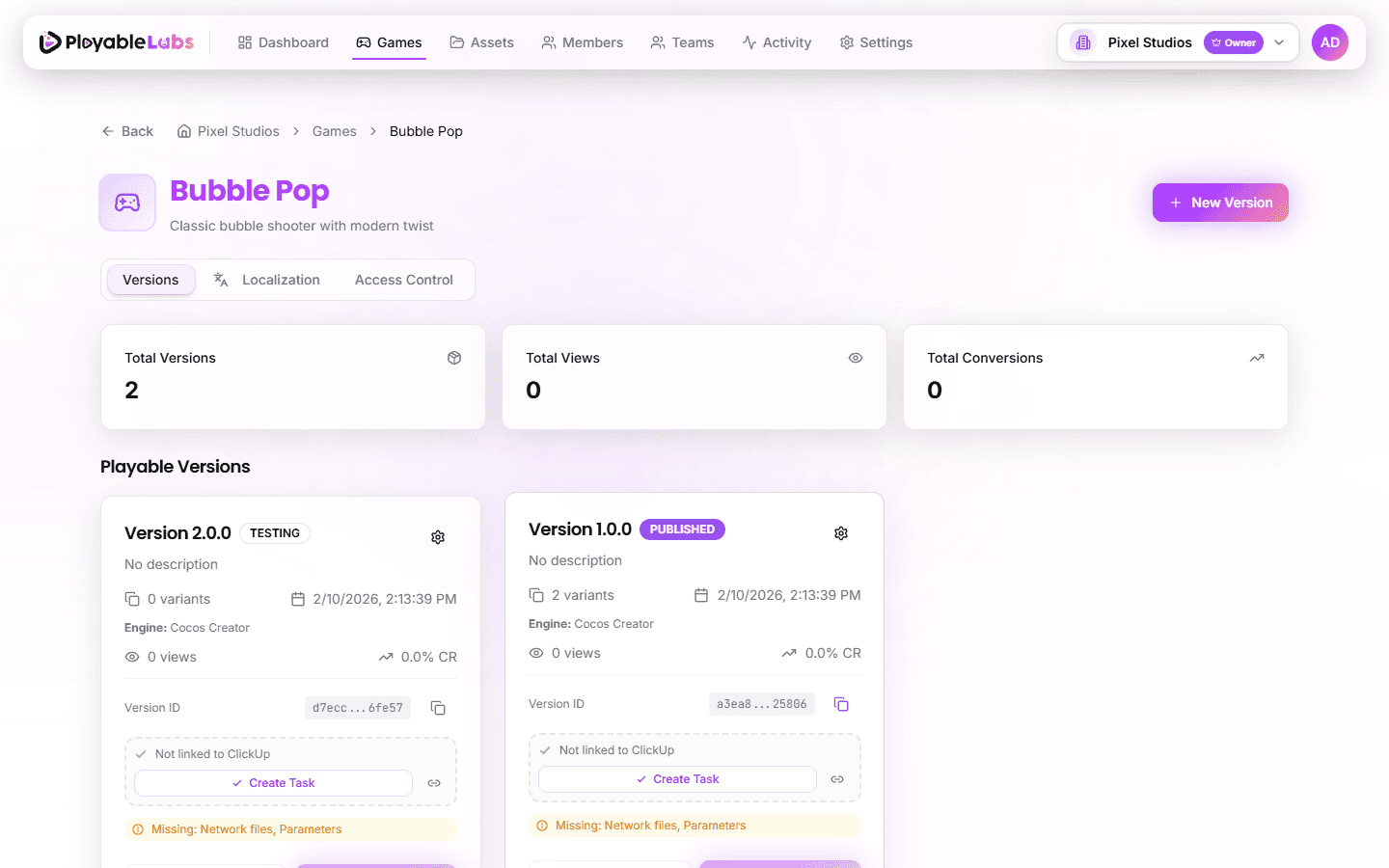
Opening a game shows:
- Versions tab — All versions with status badges, variant count, and actions (edit, duplicate, archive, delete)
- Localization tab — Game-level translation management for localizable parameters
- Access Control tab — Team-based access permissions for this game
Next Steps
- Create a game to start a new project
- Learn about version management
- Understand variants for network-specific customization
- Export playable ads for your target networks